
An Award-Winning Leader in Employee Monitoring
WebWork Time Tracker featured in the 2026 Capterra Shortlist for Employee Monitoring
Monitor your staff’s work and get insights into their progress with the best employee work tracking software—WebWork. Track employee work in real time and view reports on productivity and other key data points in one place.
No credit card | Cancel anytime


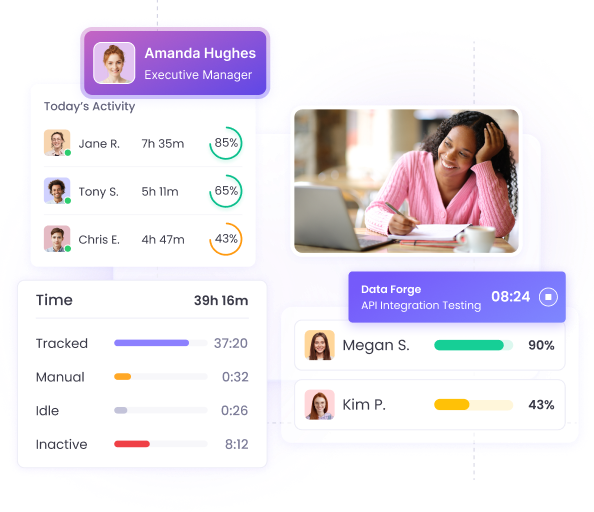


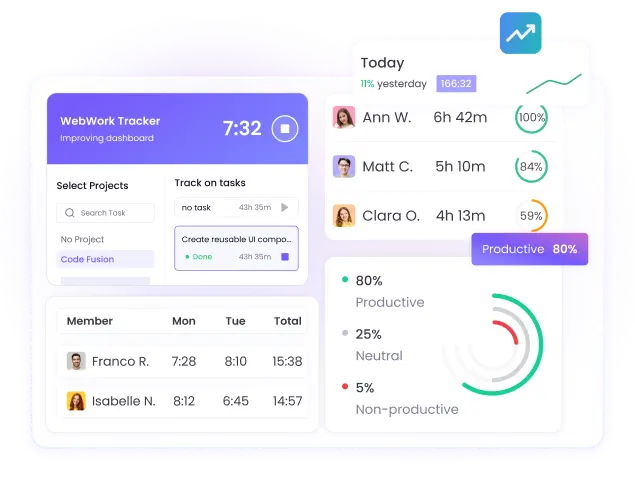
Get a high level of transparency into your team’s work process with the best employee work tracker on the market. Empower your management team to track employee work and optimize workflows with little effort.
Get more from your management efforts with WebWork AI, the first AI time tracker on the market. Get detailed productivity insights with performance recommendations, predictions, and analyses—all with just a prompt.
Explore WebWork AI

WebWork Time Tracker featured in the 2026 Capterra Shortlist for Employee Monitoring
Identify your team’s strong and weak points, manage them effortlessly, and even pay them accurately with employee work tracking software.
Easily identify and address distractions, along with other performance bottlenecks to keep productivity on track with WebWork.
Set hourly rates for employees, projects, or contracts, and let the tracker automatically calculate earnings—no manual effort required.
Get detailed insights into your staff’s performance over a given period and make informed decisions for your business with the best employee work tracker.
Detect and prevent issues like overworking, burnout, low professional engagement, and much more by racking employee work.


~54M
Hours Tracked
~2.8M
Tasks Completed
~320K
Projects Succeeded
165
Countries
WebWork employee work tracking software enables you to do more than just track your staff’s work processes. Here’s a small selection of features that’ll pivot your business to success.
Get insights into what your workspace members are doing right now with Real-Time Monitoring. View key details like app and website usage, active tasks and projects, and workspace-wide statistics like the number of active staff.
Go to Real-Time Monitoring
Track when your employees start and end their work with the employee work tracking software. Monitor the punctuality of your team and ensure they work an adequate amount of time each day.
Go to Attendance Tracking
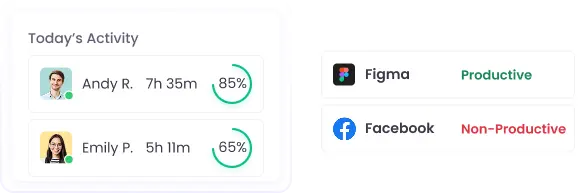
Track what apps and websites your staff use at work with WebWork Desktop Time Tracker. Set different platforms as productive, neutral, or non-productive, and get a quick glimpse into productivity levels in your dashboard.
Go to App and Website Usage
Manage your team’s days off in the same place they track time. Enable your staff to submit leave requests in just a few steps. Approve or reject these requests with nothing more than a click.
Go to Leave Management
WebWork Time Tracker is available on a wide variety of devices across different platforms and operating systems. This makes the app perfect for employee work time tracking—regardless of how your staff work.
Track employee work—including app and website usage, activity levels, and much more on the desktop. WebWork supports devices running Windows, macOS, and Linux operating systems.
Go to Desktop Time TrackerEnable your staff to track time on the go and monitor their GPS location with the mobile time tracker app. WebWork supports Android and iOS mobile phones.
Go to Mobile Time TrackerTrack time directly in your browser. You can use features like Task Management, Invoicing, and much more in your WebWork Dashboard.
Go to Web Time TrackerTrack time directly in Google Chrome with our extension time tracker.
Go to Chrome Extension Time TrackerTrack employee work and manage your company’s expenses with confidence in the best employee work tracking software.
Protecting your data is our #1 priority, so we store all of it with industry-standard encryption. This means that you can rest assured that nobody can get unauthorized access to your data.
WebWork Time Tracker is also fully GDPR-compliant. We handle all of your data following strict data protection and privacy rules set out by the EU.
Learn More About Security with WebWork
WebWork is the employee work tracking software of choice for businesses across different industries. No matter who you manage—WebWork is the best employee work tracker for you.
Design teams use WebWork’s automated work time tracking for its powerful periodic screenshot functionality. Get detailed insights into the work processes of your staff with up to 10 captures in a 10-minute interval.
Go to Design Team Time TrackingWebWork is the best automated work tracker for developers thanks to its cross-platform availability. Track employee work regardless of what development environment your team uses—Windows, macOS, or Linux.
Go to Developer Time TrackingAccountants choose WebWork for its powerful finance management functionality, like Payroll Tracking and Invoicing. The app makes it easy to bill your clients accurately while ensuring none of their projects go over budget.
Go to Time Tracker for AccountantsMarketing teams manage their campaigns with WebWork’s Project Management functionality. Create projects for your team’s campaigns in the tracker and add tasks, budgets, and other key details to stay organized and productive.
Go to Marketing Time Tracking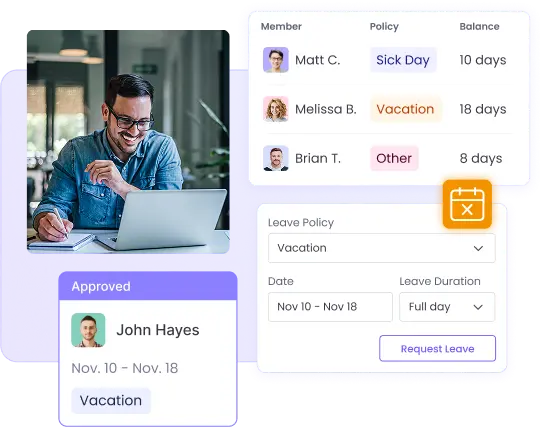
WebWork makes it easy to track and manage your team’s days off in the same place they track time. Simplify leave requests for your team, track leave balances accurately, and approve or reject requests in just a few clicks in the tracker.
Go to PTO and Vacation Tracking SoftwareRoman Raihanul, Founder & CEO of W3Experts
WebWork has everything I need—screenshots and accurate time tracking. The best thing about it is its user-friendly interface and stable operation.
Waqar Safdar, Purchasing Director
WebWork Tracker streamlines our workflow, saves time, and provides all the tools I need to efficiently manage my team.


No credit card | Cancel anytime


